Stripe API resilience testing
Test how your app handles Stripe API errors, rate limiting, and slow responses

Stripe API resilience testing
Summary
Test how your app handles Stripe API errors, rate limiting, and slow responses using Dev Proxy. This sample complements stripe-mock by adding chaos engineering capabilities that help you build more resilient payment integrations.
Compatibility
Contributors
Version history
| Version | Date | Comments |
|---|---|---|
| 1.0 | January 18, 2026 | Initial release |
Minimal path to awesome
-
Get the sample:
-
Download just this sample:
npx gitload-cli https://github.com/pnp/proxy-samples/tree/main/samples/stripe-resilience-testingor
-
Download as a .ZIP file and unzip it, or
-
Clone this repository
-
-
Start Dev Proxy:
cd stripe-resilience-testing devproxy -
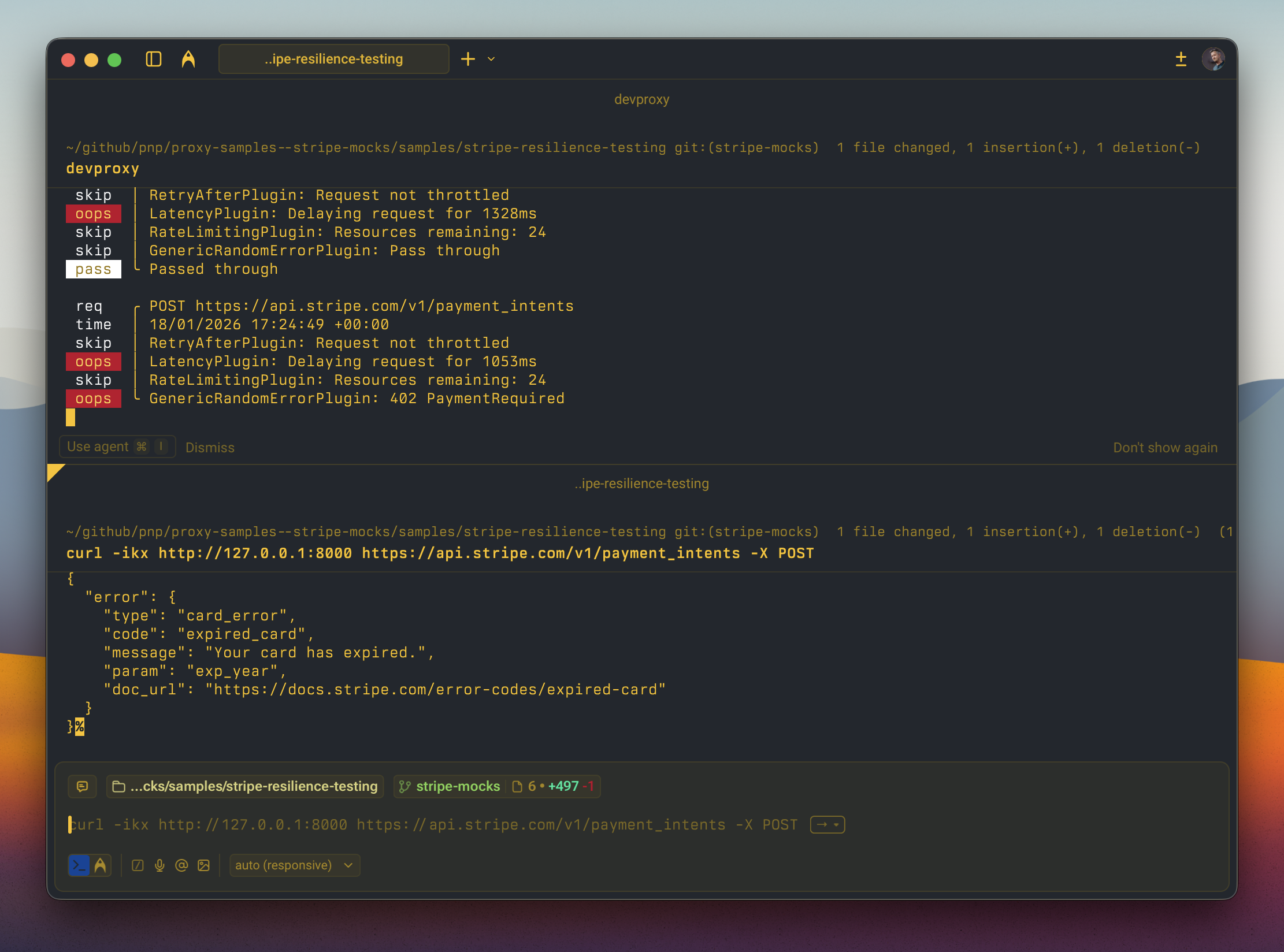
Make requests to the Stripe API through the proxy to see random errors:
# Try creating a payment intent - may get card_declined, insufficient_funds, etc.
curl -ikx http://127.0.0.1:8000 https://api.stripe.com/v1/payment_intents -X POST

# Try creating a charge - may get card errors or server errors
curl -ikx http://127.0.0.1:8000 https://api.stripe.com/v1/charges -X POST

# Run multiple requests quickly to trigger rate limiting
for i in {1..30}; do curl -ikx http://127.0.0.1:8000 https://api.stripe.com/v1/customers; done
Features
This sample simulates realistic failure scenarios for the Stripe API:
Latency simulation
All requests are delayed between 200ms and 1500ms to simulate real-world network conditions and slow API responses.
Rate limiting
The proxy simulates Stripe’s rate limiting behavior:
- Limit: 25 requests per second
- Returns
429 Too Many Requestswith proper Stripe error format when exceeded - Includes
RateLimit-*headers andstripe-should-retry: true
Random error injection (50% failure rate)
Payment-specific errors (402 Payment Required)
card_declined- Generic declinecard_declinedwithinsufficient_fundscard_declinedwithlost_cardcard_declinedwithdo_not_honorexpired_card- Card has expiredprocessing_error- Temporary processing issue
Server errors (500, 503)
api_error- Unexpected server errorapi_error- Service unavailable withRetry-Afterheader
Request errors (400, 401, 409)
parameter_missing- Missing required parametersinvalid_api_key- Authentication failureidempotency_error- Idempotency key conflict
Resource-specific errors
charge_already_refunded- Refund on already-refunded chargeinvoice_no_customer_line_items- Nothing to invoice
Configuration
Adjusting the failure rate
Change the error rate in .devproxy/devproxyrc.json:
"stripeErrors": {
  "rate": 50  // Percentage of requests that will fail (0-100)
}
Adjusting latency
Modify the latency range:
"latencyPlugin": {
  "minMs": 200,
  "maxMs": 1500
}
Adjusting rate limits
Configure rate limiting behavior:
"rateLimitingStripe": {
  "rateLimit": 25,              // Requests allowed per window
  "resetTimeWindowSeconds": 1   // Window duration
}
Running with specific plugins disabled
# No latency (faster testing)
devproxy --no-latency

# No random errors (only rate limiting)
devproxy -f 0
Use cases
This sample is useful for:
- Building resilient payment flows - Test retry logic, error handling, and user-facing error messages
- CI/CD pipeline testing - Verify your app handles Stripe failures gracefully
- Load testing - Simulate rate limiting before hitting production limits
- Chaos engineering - Randomly inject failures to find weak points
- Developer training - Help developers understand Stripe error responses
Complementing stripe-mock
stripe-mock is great for:
- ✅ Request/response validation
- ✅ Happy path testing
- ✅ Complete API coverage from OpenAPI spec
This Dev Proxy sample adds:
- ✅ Random error injection
- ✅ Latency simulation
- ✅ Rate limiting simulation
- ✅ Chaos engineering scenarios
Use both together for comprehensive Stripe integration testing!
Help
We do not support samples, but this community is always willing to help, and we want to improve these samples. We use GitHub to track issues, which makes it easy for community members to volunteer their time and help resolve issues.
You can try looking at issues related to this sample to see if anybody else is having the same issues.
If you encounter any issues using this sample, create a new issue.
Finally, if you have an idea for improvement, make a suggestion.
Disclaimer
THIS CODE IS PROVIDED AS IS WITHOUT WARRANTY OF ANY KIND, EITHER EXPRESS OR IMPLIED, INCLUDING ANY IMPLIED WARRANTIES OF FITNESS FOR A PARTICULAR PURPOSE, MERCHANTABILITY, OR NON-INFRINGEMENT.