Minimal Node.js app using Dev Proxy
Demonstrates the minimal setup to use Dev Proxy with a Node.js application

Minimal Node.js app using Dev Proxy
Summary
This sample demonstrates the minimal setup to use Dev Proxy with a Node.js application. It shows how to:
- Configure Dev Proxy to intercept API requests
- Use Node.js 24’s built-in HTTP proxy support via
NODE_USE_ENV_PROXY - Mock API responses using the MockResponsePlugin
- Use top-level await (ES modules)
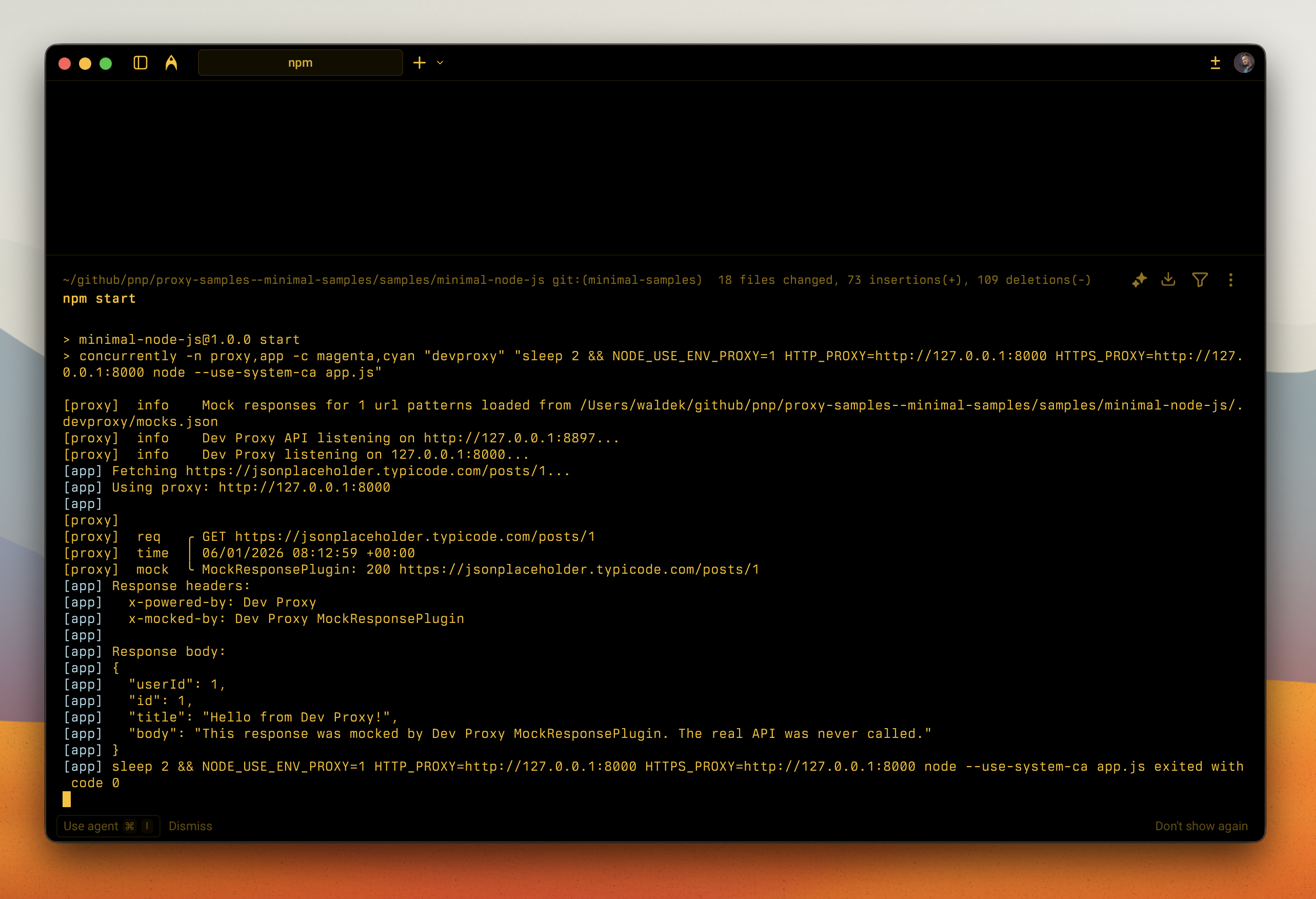
The sample makes a single API call to JSONPlaceholder and returns a mocked response, demonstrating how Dev Proxy intercepts and replaces the real API call using Node.js 24’s native proxy support.
Compatibility
Contributors
Version history
| Version | Date | Comments |
|---|---|---|
| 1.3 | February 4, 2026 | Updated to Dev Proxy v2.1.0 |
| 1.2 | January 18, 2026 | Fixed sample metadata |
| 1.1 | January 6, 2026 | Updated to use Node.js 24 built-in proxy support |
| 1.0 | January 5, 2026 | Initial release |
Prerequisites
- Dev Proxy
- Node.js 24+ (required for built-in proxy support)
Minimal path to awesome
- Get the sample:
-
Download just this sample:
npx gitload-cli https://github.com/pnp/proxy-samples/tree/main/samples/minimal-node-jsor
-
Download as a .ZIP file and unzip it, or
-
Clone this repository
-
- Navigate to the sample folder:
cd samples/minimal-node-js - Run
npm installto install dependencies - Run
npm startto start Dev Proxy and the sample app - Observe the mocked API response in the console with headers
x-powered-by: Dev Proxyandx-mocked-by: Dev Proxy MockResponsePlugin
Features
This sample illustrates the following concepts:
- Configuring Dev Proxy with a
.devproxy/devproxyrc.jsonfile - Using Node.js 24’s
NODE_USE_ENV_PROXYfor built-in HTTP proxy support - Using top-level await with ES modules
- Using MockResponsePlugin to return custom API responses
- Adding custom headers to mocked responses
How it works
Node.js 24 introduced built-in HTTP proxy support. When NODE_USE_ENV_PROXY=1 is set, Node.js automatically routes fetch() requests through the proxy specified in HTTP_PROXY and HTTPS_PROXY environment variables. This eliminates the need for third-party proxy agents or manual proxy configuration.
NODE_USE_ENV_PROXY=1 HTTP_PROXY=http://127.0.0.1:8000 HTTPS_PROXY=http://127.0.0.1:8000 node app.jsHelp
We do not support samples, but this community is always willing to help, and we want to improve these samples. We use GitHub to track issues, which makes it easy for community members to volunteer their time and help resolve issues.
You can try looking at issues related to this sample to see if anybody else is having the same issues.
If you encounter any issues using this sample, create a new issue.
Finally, if you have an idea for improvement, make a suggestion.
Disclaimer
THIS CODE IS PROVIDED AS IS WITHOUT WARRANTY OF ANY KIND, EITHER EXPRESS OR IMPLIED, INCLUDING ANY IMPLIED WARRANTIES OF FITNESS FOR A PARTICULAR PURPOSE, MERCHANTABILITY, OR NON-INFRINGEMENT.