Mock the HTTP QUERY method
Prototype and test apps against the new HTTP QUERY method by mocking its responses with Dev Proxy, before the API is built.

Mock the HTTP QUERY method
Summary
This sample shows how to use Dev Proxy to mock the new HTTP QUERY method so you can build and test your app before the API supports it.
QUERY is a new HTTP method that fills the gap between GET and POST. Like GET, it’s safe and idempotent, so responses can be cached and requests can be retried. Like POST, it can carry a request body, which lets you send complex search criteria without cramming them into the URL or misusing POST for read operations.
Most APIs don’t support QUERY yet. Whether you want to adopt it in your app, or you maintain an API and are considering adding QUERY support, you need something to build against. This sample mocks a fictitious Contoso product catalog API at https://api.contoso.com that answers QUERY requests for products and customers. It also mocks a GET /products response so you can compare the two methods side by side: GET returns the full collection, while QUERY returns a filtered subset based on the criteria in the request body.
The sample includes a small browser app that sends QUERY and GET requests so you can see the difference in action.
Compatibility
Support for the QUERY method was added in Dev Proxy v3.2.0-beta.1.
Contributors
Version history
| Version | Date | Comments |
|---|---|---|
| 1.0 | July 6, 2026 | Initial release |
Minimal path to awesome
-
Get the sample:
-
Download just this sample:
npx gitload-cli https://github.com/pnp/proxy-samples/tree/main/samples/http-query-method-mocksor
-
Download as a .ZIP file and unzip it, or
-
Clone this repository
-
-
Start Dev Proxy:
devproxy -
Send a
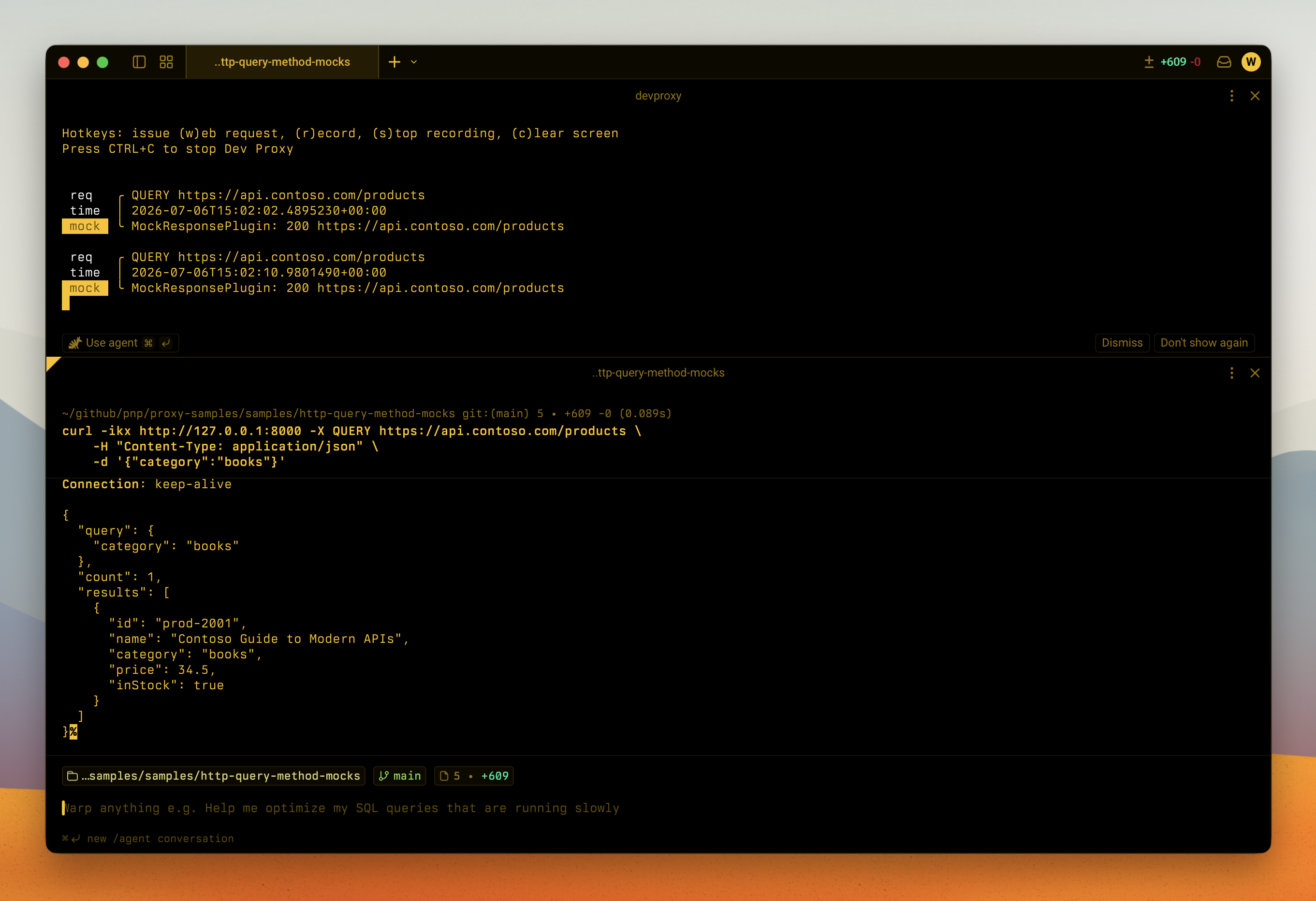
QUERYrequest withcurland pass the search criteria in the request body:# Search products in the "electronics" category curl -ikx http://127.0.0.1:8000 -X QUERY https://api.contoso.com/products \ -H "Content-Type: application/json" \ -d '{"category":"electronics"}' # Search products in the "books" category curl -ikx http://127.0.0.1:8000 -X QUERY https://api.contoso.com/products \ -H "Content-Type: application/json" \ -d '{"category":"books"}' # QUERY with no filter returns all products curl -ikx http://127.0.0.1:8000 -X QUERY https://api.contoso.com/products \ -H "Content-Type: application/json" \ -d '{}' # Search customers curl -ikx http://127.0.0.1:8000 -X QUERY https://api.contoso.com/customers \ -H "Content-Type: application/json" \ -d '{"city":"Seattle"}' # Compare with GET, which returns the full product collection curl -ikx http://127.0.0.1:8000 https://api.contoso.com/products -
Optionally, try the demo app: open
index.htmlin a browser (with Dev Proxy running), pick a category, and use Search products (QUERY) and Get all products (GET) to compare the responses.
Features
This sample mocks a fictitious Contoso product catalog API and demonstrates the new HTTP QUERY method:
QUERY /productsreturns a filtered product list. The mock uses thebodyFragmentproperty to return different results depending on the category sent in the request body (electronicsorbooks), and falls back to the full list when no category is provided.QUERY /customersreturns a filtered customer list.GET /productsreturns the full product collection, so you can compareGETandQUERYon the same endpoint.- Responses include the
Accept-Query: application/jsonheader, which is how an API signals that it supports theQUERYmethod and which media types it accepts.
Using this sample you can use Dev Proxy to:
- Prototype and test your app against the
QUERYmethod before the real API supports it - Explore how
QUERYdiffers fromGETandPOSTfor read operations that need a request body - Decide whether adding
QUERYsupport to your own API is worth it, by trying the client experience first - Return different mock responses based on the contents of the
QUERYrequest body usingbodyFragment
Help
We do not support samples, but this community is always willing to help, and we want to improve these samples. We use GitHub to track issues, which makes it easy for community members to volunteer their time and help resolve issues.
You can try looking at issues related to this sample to see if anybody else is having the same issues.
If you encounter any issues using this sample, create a new issue.
Finally, if you have an idea for improvement, make a suggestion.
Disclaimer
THIS CODE IS PROVIDED AS IS WITHOUT WARRANTY OF ANY KIND, EITHER EXPRESS OR IMPLIED, INCLUDING ANY IMPLIED WARRANTIES OF FITNESS FOR A PARTICULAR PURPOSE, MERCHANTABILITY, OR NON-INFRINGEMENT.