Demo: Check if my app is calling APIs using minimal permissions
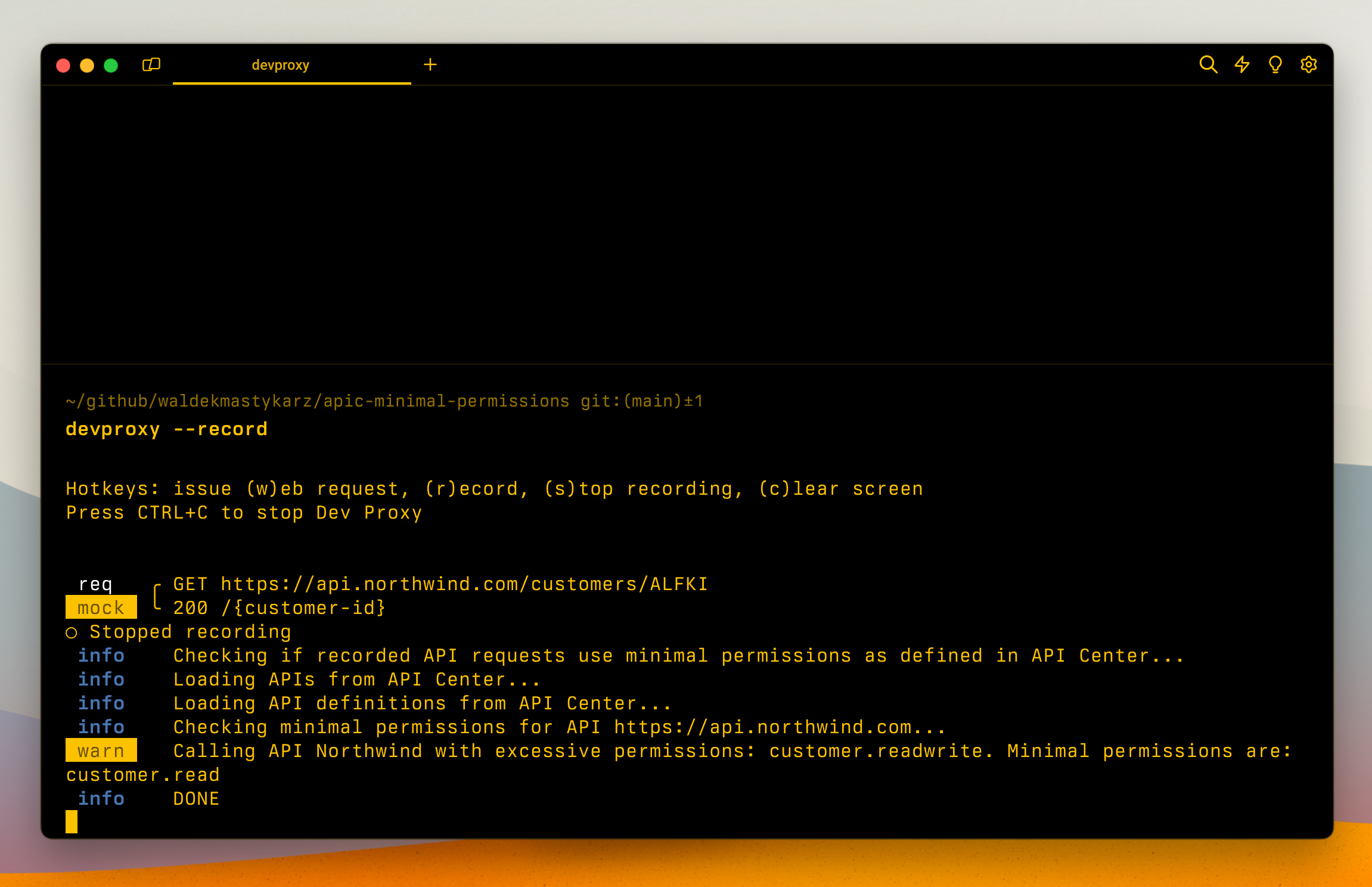
This sample illustrates how to use Dev Proxy to check if your app is calling APIs using minimal permissions. The sample contains a mock CRUD API secured with Microsoft Entra. Different API operations require different scopes. The mock CRUD API is described using an OpenAPI spec including information about the available operations and the necessary scopes for each of them. By uploading the OpenAPI to Azure API Center, and calling the API, you can use Dev Proxy to check if your app is calling the API using the minimal permissions required.

Demo: Check if my app is calling APIs using minimal permissions
Summary
This sample illustrates how to use Dev Proxy to check if your app is calling APIs using minimal permissions. The sample contains a mock CRUD API secured with Microsoft Entra. Different API operations require different scopes. The mock CRUD API is described using an OpenAPI spec including information about the available operations and the necessary scopes for each of them. By uploading the OpenAPI to Azure API Center, and calling the API, you can use Dev Proxy to check if your app is calling the API using the minimal permissions required.
Compatibility
Contributors
Version history
| Version | Date | Comments |
|---|---|---|
| 1.4 | February 4, 2026 | Updated to Dev Proxy v2.1.0 |
| 1.3 | January 18, 2026 | Moved config files to .devproxy folder |
| 1.2 | January 5, 2026 | Updated to Dev Proxy v2.0.0 |
| 1.1 | June 27, 2025 | Updated to Dev Proxy v0.29.2 |
| 1.0 | June 17, 2024 | Initial release |
Prerequisites
- Azure API Center
- REST Client extension for Visual Studio Code
Minimal path to awesome
- Create Azure API Center instance
- Get the API Center instance name, resource group name and subscription ID
- Get the preset using Dev Proxy by running
devproxy config get demo-apicenter-minimalpermissions - Navigate to the Dev Proxy installation folder, and open the
config/demo-apicenter-minimalpermissionsfolder - In the
devproxyrc.jsonfile, in theapiCenterMinimalPermissionsPluginupdate the API Center information - In API Center, create a new API and import the OpenAPI spec from the
api.northwind.com.jsonfile - Start Dev Proxy by running
devproxy --record - In VSCode, open the
northwind.httpfile and run the requests to the API - In the terminal where Dev Proxy is running, press
sto stop recording - Dev Proxy will generate a report of the minimal permissions needed to call the API
Help
We do not support samples, but this community is always willing to help, and we want to improve these samples. We use GitHub to track issues, which makes it easy for community members to volunteer their time and help resolve issues.
You can try looking at issues related to this sample to see if anybody else is having the same issues.
If you encounter any issues using this sample, create a new issue.
Finally, if you have an idea for improvement, make a suggestion.
Disclaimer
THIS CODE IS PROVIDED AS IS WITHOUT WARRANTY OF ANY KIND, EITHER EXPRESS OR IMPLIED, INCLUDING ANY IMPLIED WARRANTIES OF FITNESS FOR A PARTICULAR PURPOSE, MERCHANTABILITY, OR NON-INFRINGEMENT.