Simulate Azure AI Responsible AI Filters
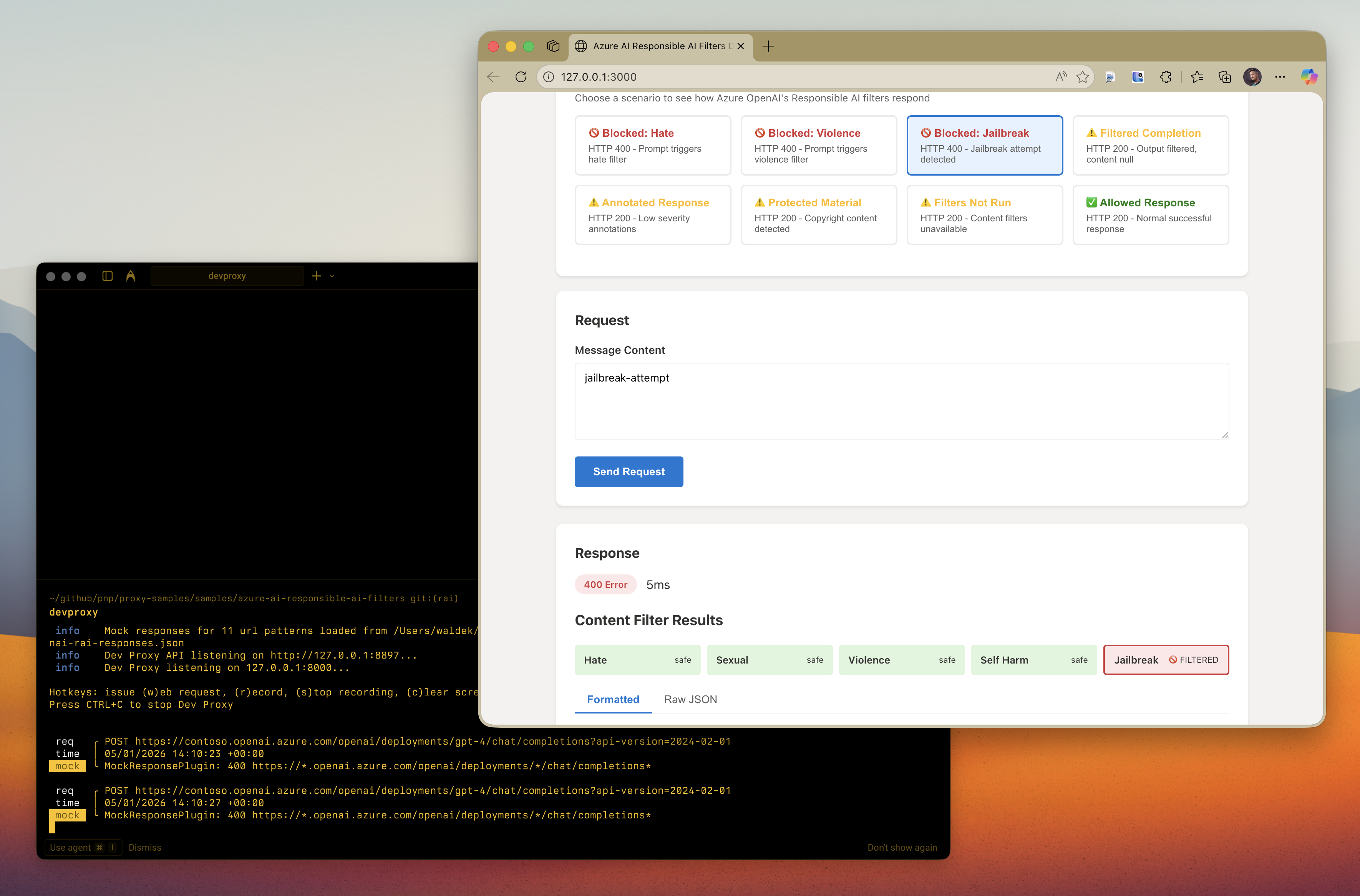
This sample contains mock responses that simulate Azure OpenAI's Responsible AI content filtering behavior. It helps developers test how their applications handle filtered, blocked, or modified responses based on Azure's content safety policies. The sample covers all content filter categories including hate, sexual, violence, self-harm, jailbreak attacks, and protected material detection. Using this sample, developers can implement proper error handling for Responsible AI filtered responses without needing to trigger actual content filters.

Simulate Azure AI Responsible AI Filters
Summary
This sample contains mock responses that simulate Azure OpenAI’s Responsible AI content filtering behavior. It helps developers test how their applications handle filtered, blocked, or modified responses based on Azure’s content safety policies.
Azure OpenAI includes content filtering that evaluates both prompts (inputs) and completions (outputs) against several categories: hate, violence, sexual content, self-harm, jailbreak attacks, and protected material. This sample allows you to test your app’s error handling for these scenarios without triggering actual content filters.
Compatibility

Contributors
Version history
| Version | Date | Comments |
|---|---|---|
| 1.3 | February 4, 2026 | Updated to Dev Proxy v2.1.0 |
| 1.2 | January 18, 2026 | Moved config files to .devproxy folder |
| 1.1 | January 5, 2026 | Updated to Dev Proxy v2.0.0 |
| 1.0 | January 5, 2026 | Initial release |
Minimal path to awesome
- Get the sample:
-
Download just this sample:
npx gitload-cli https://github.com/pnp/proxy-samples/tree/main/samples/azure-ai-responsible-ai-filtersor
-
Download as a .ZIP file and unzip it, or
-
Clone this repository
-
- Change to the sample directory:
cd samples/azure-ai-responsible-ai-filters - Start Dev Proxy:
devproxy - In a new terminal, start a local web server:
npx http-server -p 3000 - Open your browser to
http://localhost:3000 - Select different test scenarios to see how Azure OpenAI’s Responsible AI filters respond

Features
This sample demonstrates the following Azure OpenAI Responsible AI content filter scenarios:
Blocked Prompts (HTTP 400)
When a prompt triggers the content filter, Azure OpenAI returns HTTP 400 with an error object containing:
code:content_filterinnererror.code:ResponsibleAIPolicyViolationinnererror.content_filter_result: Details about which category triggered the filter
Filtered Completions (HTTP 200)
When the generated completion (output) triggers the filter:
- HTTP 200 is returned
finish_reasonis set tocontent_filtercontent_filter_resultscontains details about the filter trigger- The
contentmay benullor truncated
Content Filter Categories
The sample covers all content filter categories:
- Hate: Discriminatory language based on identity
- Sexual: Sexual content
- Violence: Content describing physical harm
- Self-harm: Content related to self-injury
- Jailbreak: Attempts to bypass safety measures
- Protected material: Copyrighted text or code
Severity Levels
Content filter results include severity levels:
safe: No harmful content detectedlow: Mild content that may pass filtersmedium: Moderate contenthigh: Severe content that triggers filtering
Handling content filter responses in your application
When integrating with Azure OpenAI, implement the following best practices as recommended by Azure documentation:
- Decide how to handle filtered content: Plan your UX for scenarios where users send prompts that trigger content filters or otherwise misuse your application
- Check
finish_reason: A value ofcontent_filterindicates the completion was filtered - Check for errors in
content_filter_results: If the content filtering system is down or unable to complete, your request still completes but without filtering. Look for an error object incontent_filter_resultsto detect this - Display protected material citations: If using the protected material code model in annotate mode, display the citation URL when showing code in your application
The demo app included in this sample demonstrates these best practices in action.
Help
We do not support samples, but this community is always willing to help, and we want to improve these samples. We use GitHub to track issues, which makes it easy for community members to volunteer their time and help resolve issues.
You can try looking at issues related to this sample to see if anybody else is having the same issues.
If you encounter any issues using this sample, create a new issue.
Finally, if you have an idea for improvement, make a suggestion.
Disclaimer
THIS CODE IS PROVIDED AS IS WITHOUT WARRANTY OF ANY KIND, EITHER EXPRESS OR IMPLIED, INCLUDING ANY IMPLIED WARRANTIES OF FITNESS FOR A PARTICULAR PURPOSE, MERCHANTABILITY, OR NON-INFRINGEMENT.